Follow one document through Docbank
This guide follows a single document from import to backup. Each step says what Docbank stores and what is left for you to decide. The processing steps apply only if you set up processing.
-
Import the file
Docbank copies the file into the vault and leaves the source where it was. The copy appears in a folder tree you can browse. Docbank records a checksum at import, so it can tell later whether the stored bytes have changed.
Importing documents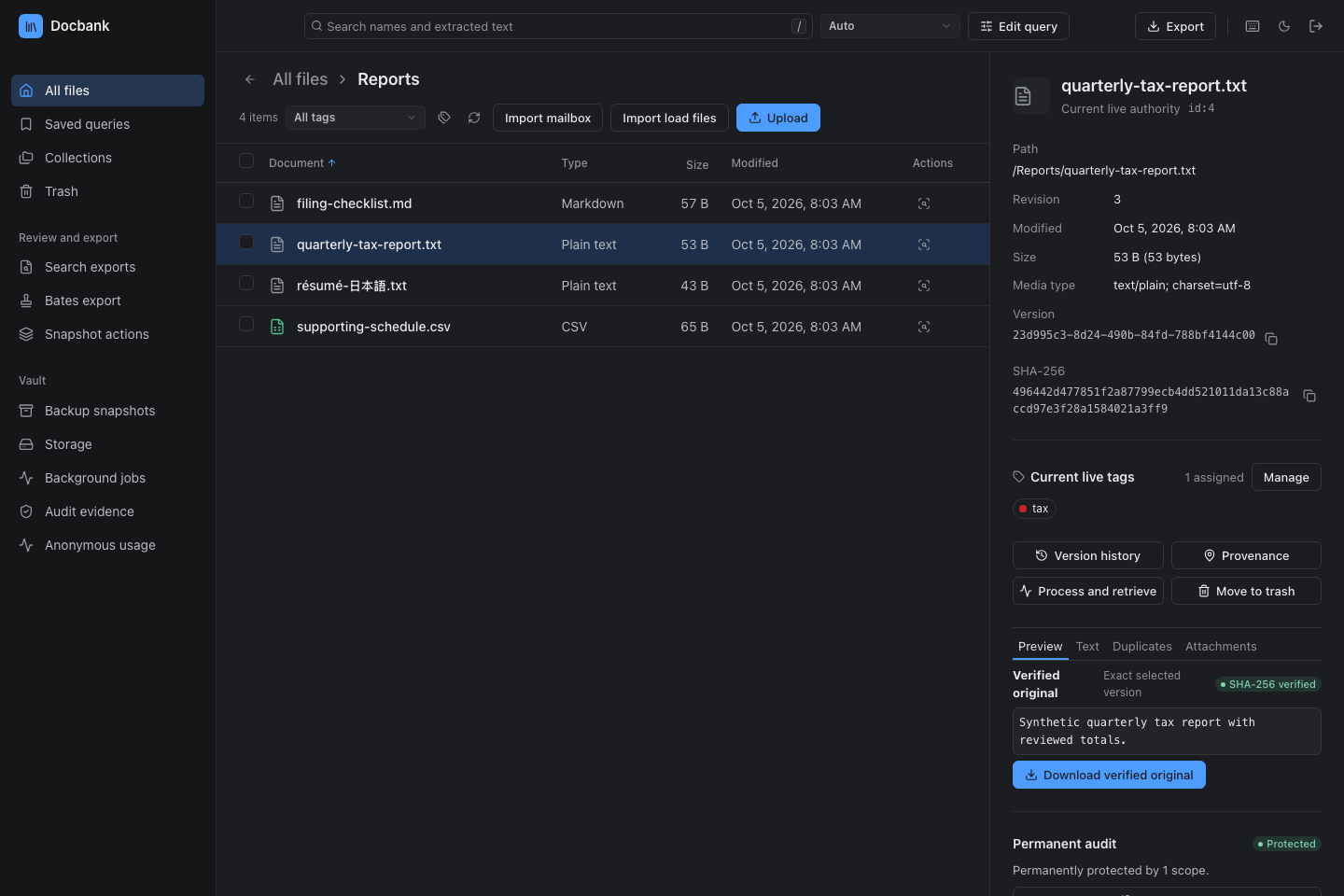
A vault of synthetic documents after import. -
Move, rename, or replace it
Every document has a node ID that stays the same for its whole life. Moving or renaming the document changes its path and nothing else. Replacing its content saves a new version, and the earlier versions you keep can still be opened or downloaded.
Editing and versions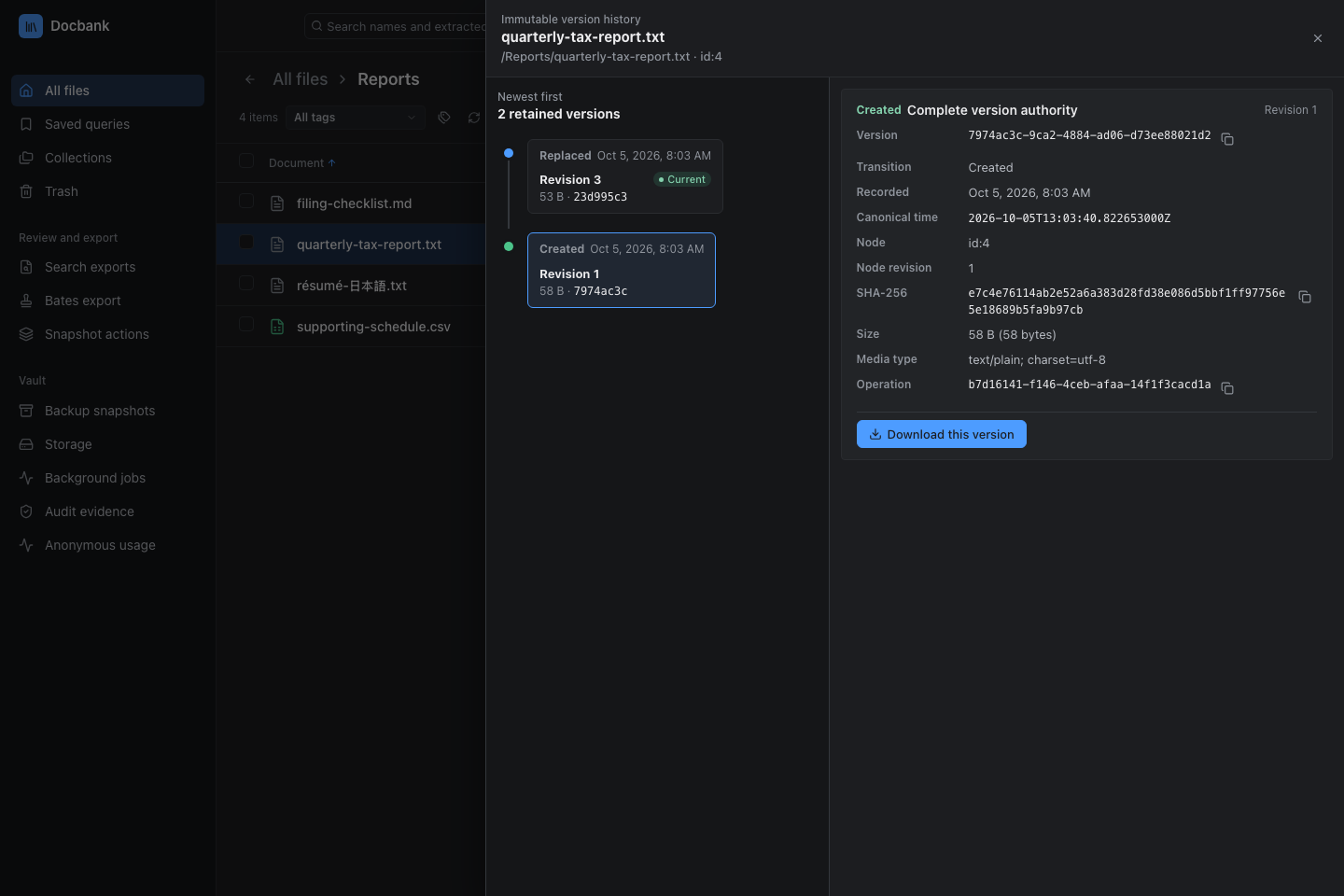
Each saved version of a document can be downloaded. -
Review what processing will send
Processing is set up as profiles. Choose one, and Docbank shows its plan for the selected version: each provider, where it runs, and the kind of content it will receive. Give consent once you have read the plan. A vault restored from a backup needs new consent before any network processing.
Processing and consent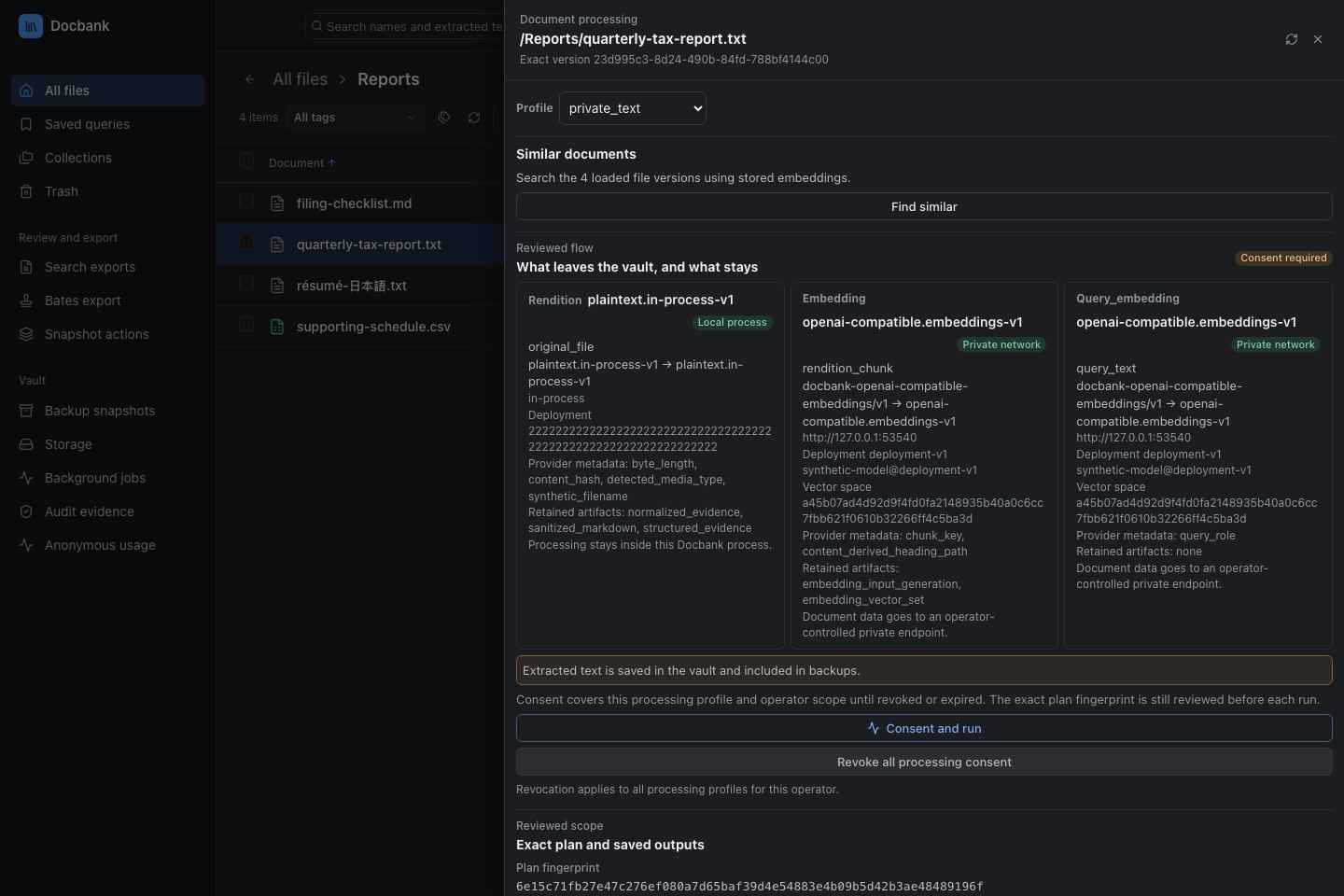
The plan for one version, shown before anything is sent. -
Extract the text
Processing produces a rendition: the document’s text as Markdown, saved against the version it came from. Start it from the web app, TUI, CLI, HTTP API, or Go API. The original file is not changed. With a supported provider, optical character recognition (OCR) reads text from scans and images.
Document processing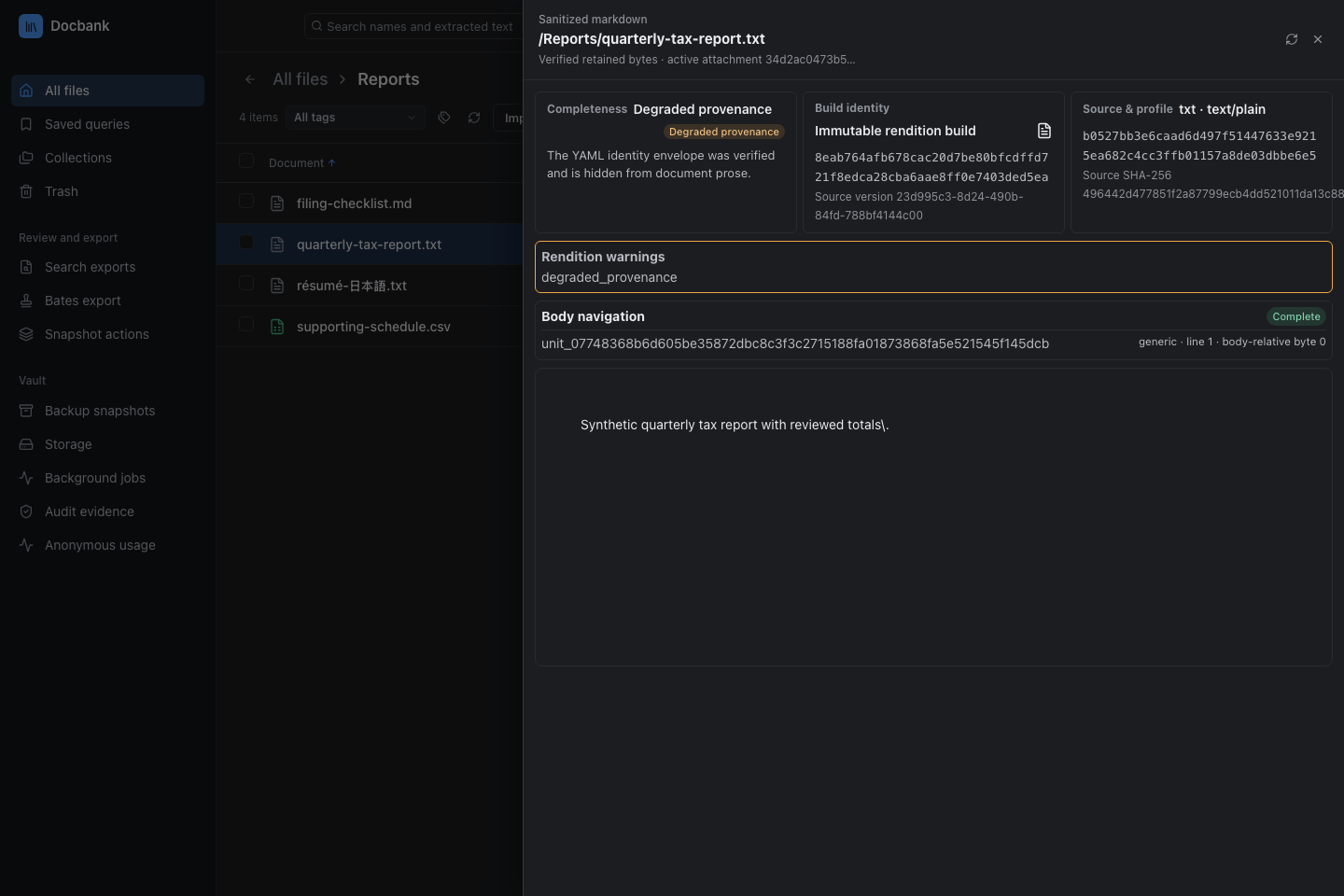
The extracted text of one saved version. -
Add search by meaning
An embedding is a list of numbers that stands for a piece of content, so similar content can be found by comparing numbers. Configure an embedding service, review what it will receive, and process the versions you want to search. The web app and TUI then offer Semantic and Hybrid search. Finding similar documents compares embeddings already in the vault and calls no provider.
Search by meaning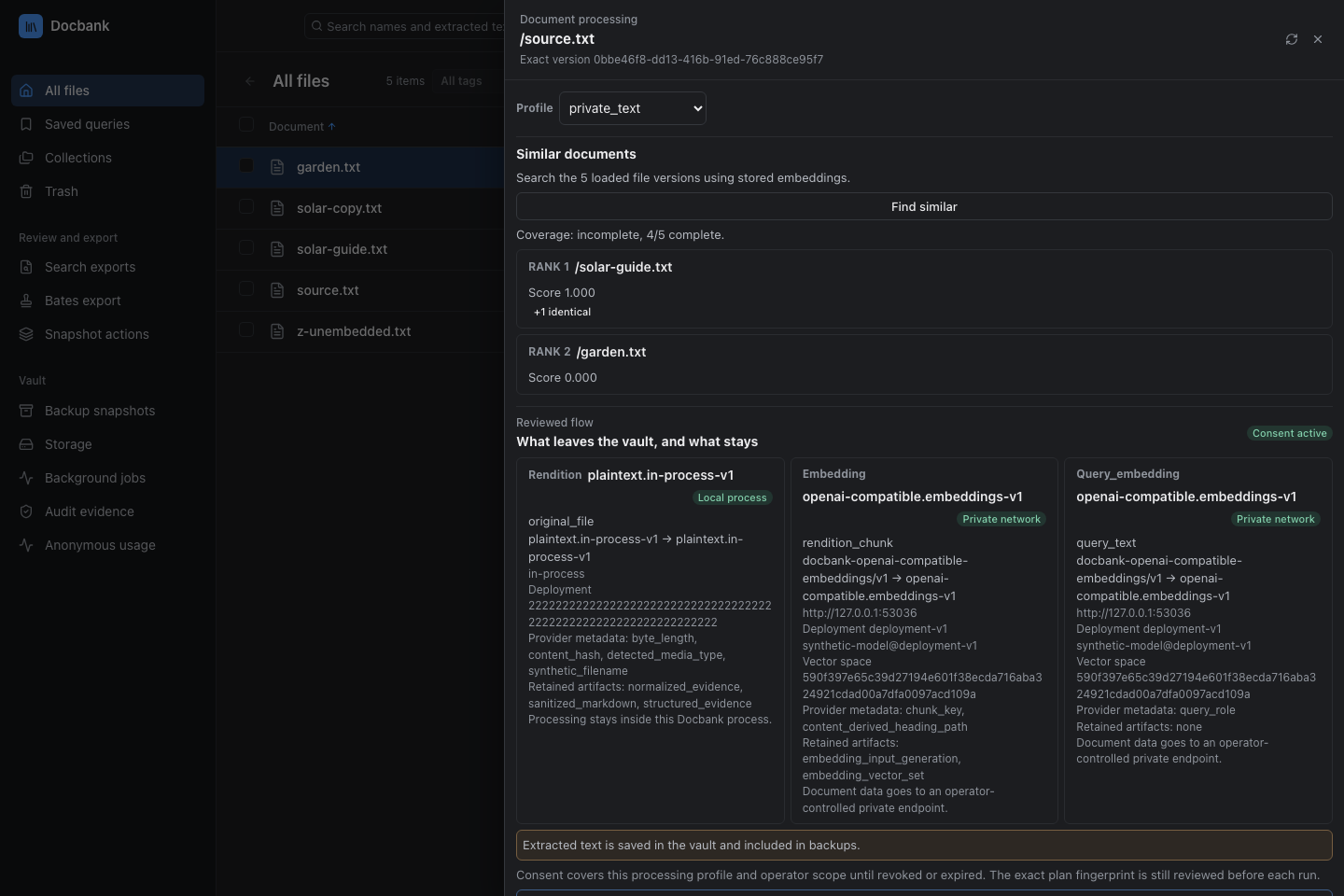
Similar documents, ranked from stored embeddings. -
Find the document again
Search file names and extracted text, then narrow the results by tag, folder, file type, or date. Save the queries and highlight terms you use often. A lexical (keyword) query can also be frozen: its rows, counts, and facets stay as they were when it ran, whatever changes in the vault afterwards.
Searching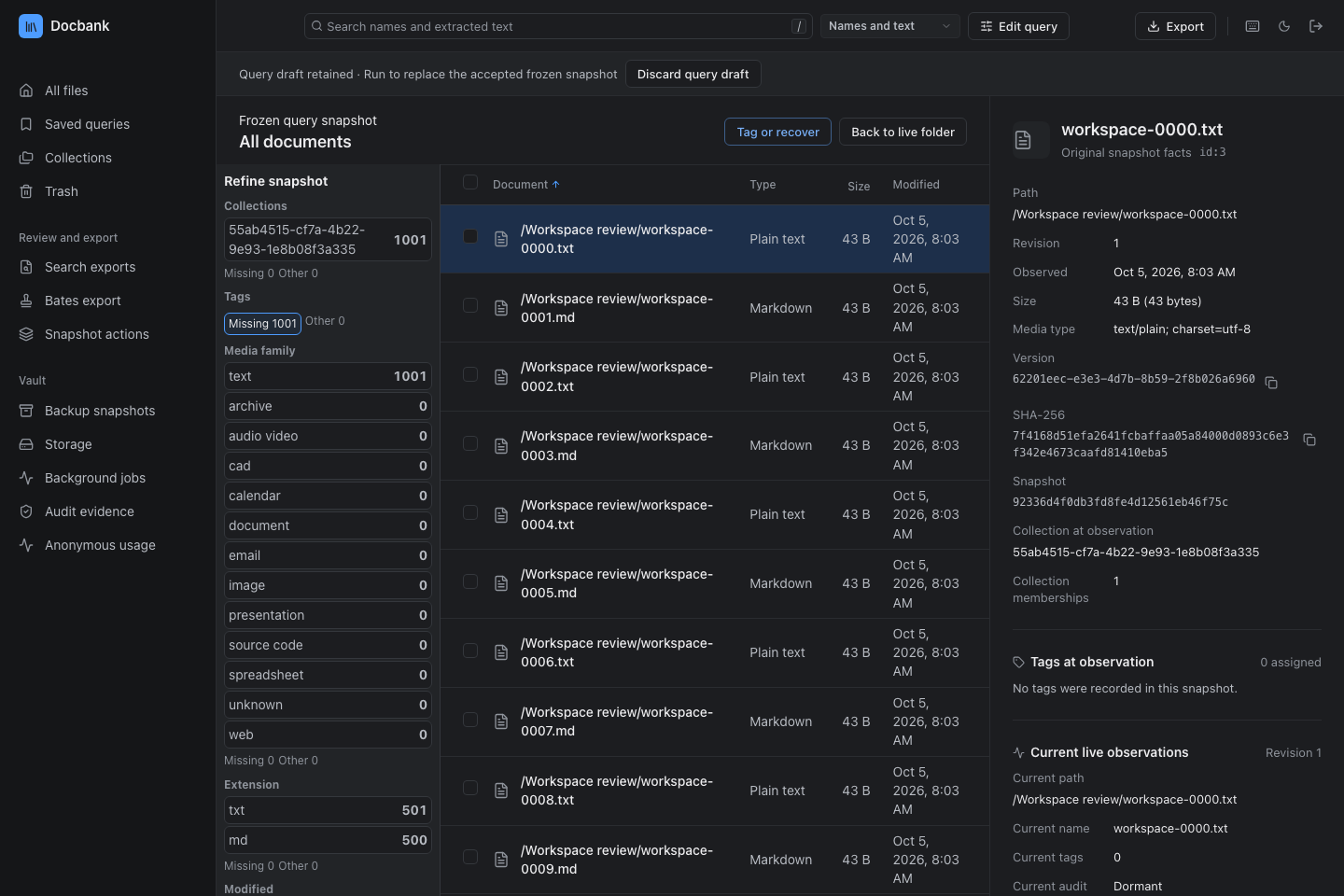
A frozen query keeps the versions it found. -
Export the versions you reviewed
Select documents, or take a whole frozen query. Docbank lists the originals and processing outputs the export will include, then builds a ZIP and verifies it. If a document changes after you start, the export still holds the version you selected. For search counts over a date range, download the CSV report with its evidence ZIP.
Verified export bundles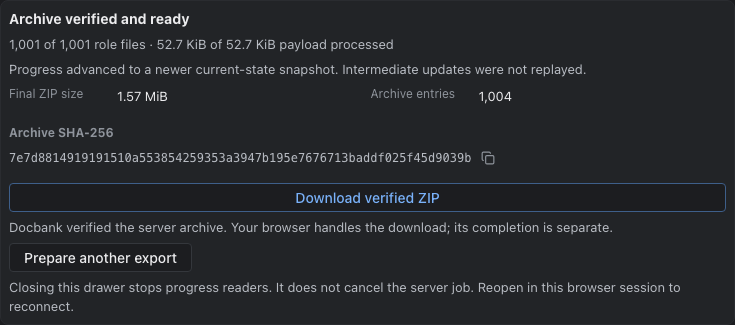
A finished export, verified and ready to download. -
Processing outputs stay separate
Text, previews, embeddings, and indexes are derivatives: outputs computed from a saved document. Docbank stores them apart from the original and records which version each one came from. Processing and retention rules decide when a derivative can be replaced or removed.
Processing and retention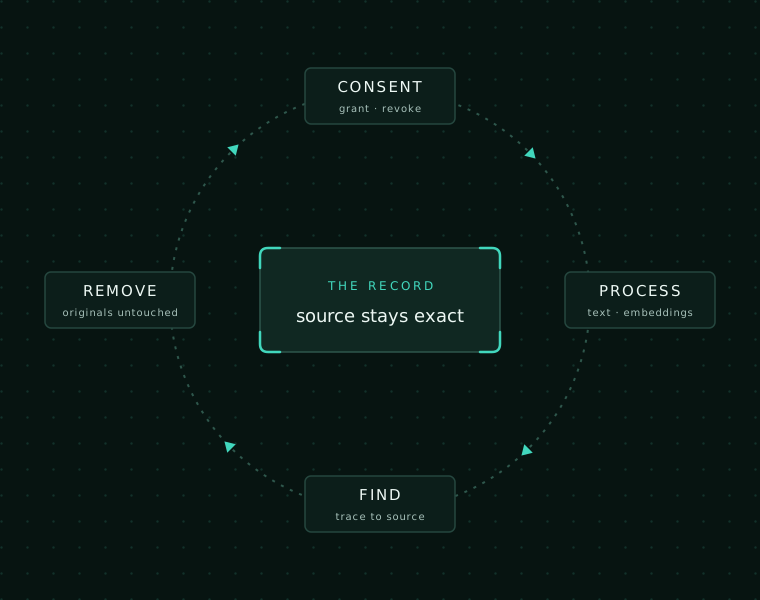
-
Use any interface
The command line, web app, terminal browser, and HTTP API all go through the local daemon. A local agent connects with
Docbank for agentsdocbank mcpand works with the same versions and revision checks. A Go application can instead own a separate vault in its own process.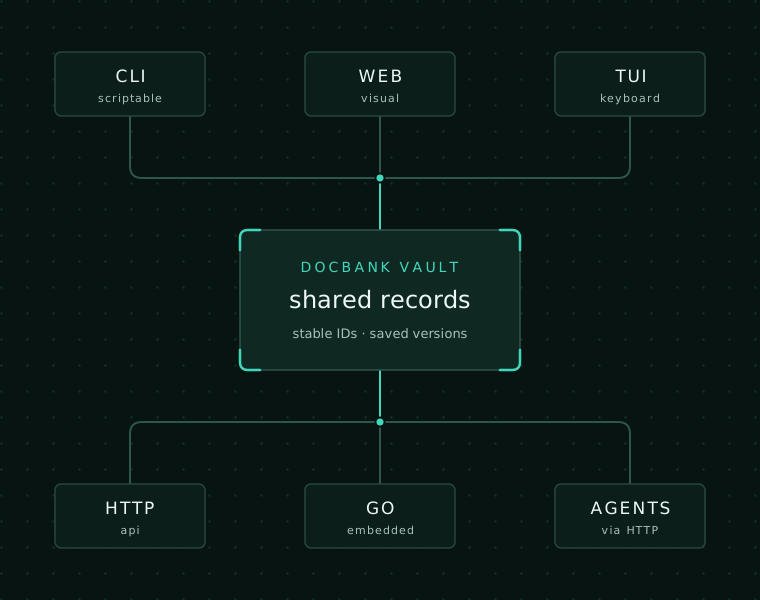
-
Back up, then test a restore
Create an incremental backup and verify it. Then restore it into a separate vault and check the result before you need it. A backup holds document content, metadata, and version history.
Backup and restore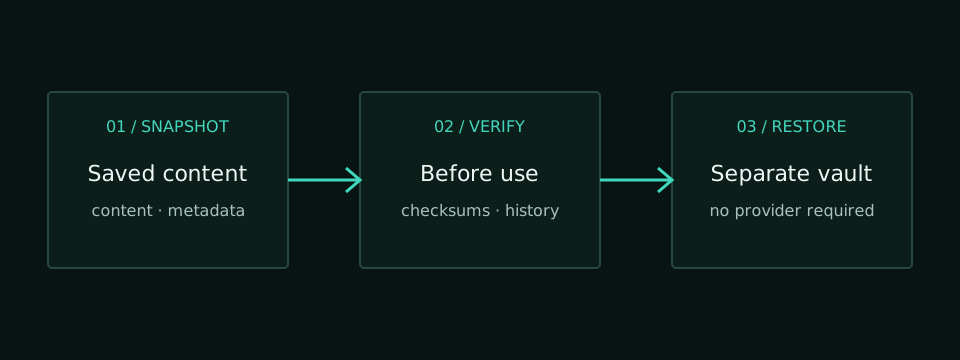
Next steps
Run the quickstart to try these steps on your own files. The task guides cover commands, automation, storage, and recovery.